
Smart Cut - Background Eraser1.2.3 - App Store
You'll be able to see results in few seconds.
Publisher Description
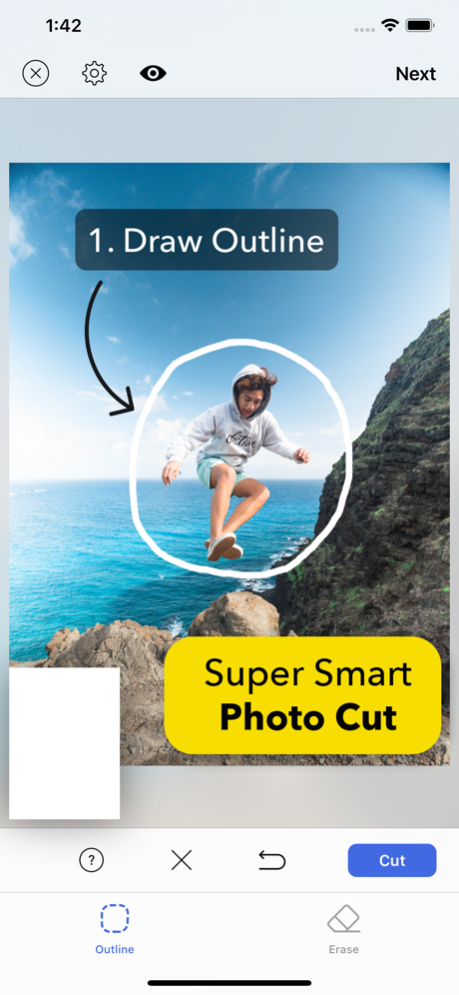
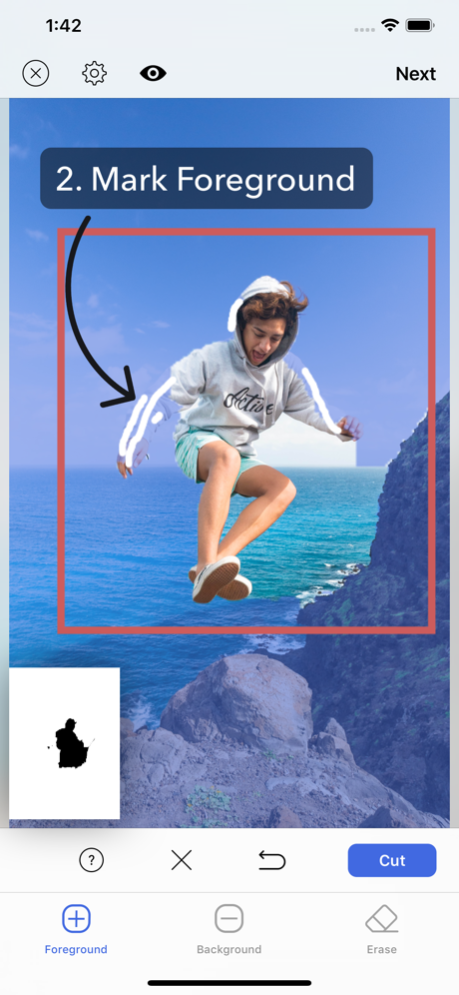
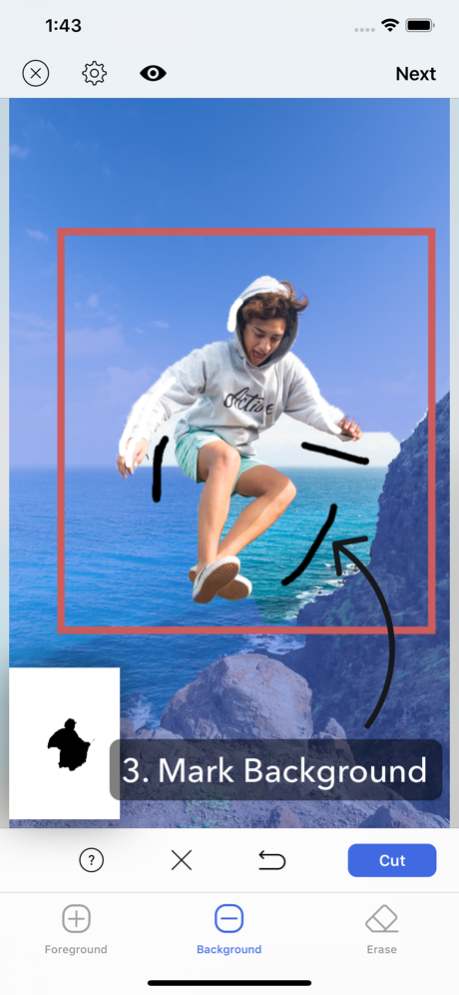

[Smart Cut] is the most powerful photo cut out tool on the market.
Unlike other apps which require you to draw exact outline, [Smart Cut] enables you to cut out any object from photo at single step.
You can cut out object just by drawing very rough outline around it. In case the app fails to extract the exact part you want, you can refine your selection just by marking foreground and background area by drawing line on them. It's that easy.
Once you have cut out object with this super smart cut out editor, you can create sticker image with transparent background or create image which has hole in the cut area.
You can also create superimposed photo, object in hole photo, background blur(aka portrait photo) photo and color splas photo.
The possibilities are endless. Show your creativity with this amazing app.
* Super smart photo cut out
- One step photo cut by just drawing very rough outline around the object.
- Refine selection just by drawing line on foreground and background area.
* Create Sticker
- Create sticker which has transparent background.
- Adjust border size of the sticker.
- Adjust border color of the sticker.
* Create Holed Image
- Create image with hole.
* Photo Superimposition
- Superimpose the object obtained by cutting with background photo.
- You can also create "photo in hole" superimpose photo.
- Turn any plain photo into beautiful artwork with superimposition.
* Background Blur
- Apply background blur except the area of cut out object.
- Turn any plain photo into manual portrait mode photo.
- Supports reversed background blur.
* Color Splash
- Change background area to grayscale except the area of cut out object.
- Supports reversed color splash.
* Motion Blur
- Add panning photography effect.
- Support motion blur and zoom blur.
Jan 9, 2024
Version 1.2.3
- Minor bugs fixed.
About Smart Cut - Background Eraser
The company that develops Smart Cut - Background Eraser is kyoung hee park. The latest version released by its developer is 1.2.3.
To install Smart Cut - Background Eraser on your iOS device, just click the green Continue To App button above to start the installation process. The app is listed on our website since 2024-01-09 and was downloaded 0 times. We have already checked if the download link is safe, however for your own protection we recommend that you scan the downloaded app with your antivirus. Your antivirus may detect the Smart Cut - Background Eraser as malware if the download link is broken.
How to install Smart Cut - Background Eraser on your iOS device:
- Click on the Continue To App button on our website. This will redirect you to the App Store.
- Once the Smart Cut - Background Eraser is shown in the iTunes listing of your iOS device, you can start its download and installation. Tap on the GET button to the right of the app to start downloading it.
- If you are not logged-in the iOS appstore app, you'll be prompted for your your Apple ID and/or password.
- After Smart Cut - Background Eraser is downloaded, you'll see an INSTALL button to the right. Tap on it to start the actual installation of the iOS app.
- Once installation is finished you can tap on the OPEN button to start it. Its icon will also be added to your device home screen.
Program Details
System requirements
Download information
Pricing
Version History
version 1.2.3
posted on 2024-01-09
Jan 9, 2024
Version 1.2.3
- Minor bugs fixed.
version 1.2.2
posted on 2024-01-01
Jan 1, 2024
Version 1.2.2
- Bug fix for crash on iPad.
version 1.2.1
posted on 2023-09-20
Sep 20, 2023
Version 1.2.1
Update for iOS17
- Supports one step automatic object detection.
- Minor UI enhancement.
version 1.1.11
posted on 2022-09-22
Sep 22, 2022
Version 1.1.11
- Compatibility fix for iOS16
Disclaimer
Official App Store Link
We do not host Smart Cut - Background Eraser on our servers. We did not scan it for viruses, adware, spyware or other type of malware. This app is hosted by Apple and passed their terms and conditions to be listed there. We recommend caution when installing it.
The App Store link for Smart Cut - Background Eraser is provided to you by apps112.com without any warranties, representations or guarantees of any kind, so access it at your own risk.
If you have questions regarding this particular app contact the publisher directly. For questions about the functionalities of apps112.com contact us.
